In our daily life, we often encounter the task of adjusting the printing content of the printer. How to change the printing content? As an industry that often needs to print information such as food packaging, we know that the daily operation of the printer is Necessary.
Today Xiaobian will explain to you some of the editing information:
1. Plug in the power and press the power button to turn on the system, the system will enter the startup program. After 1 minute or so of the boot process, we can see the main operation interface from the main screen of the printer (as shown below).
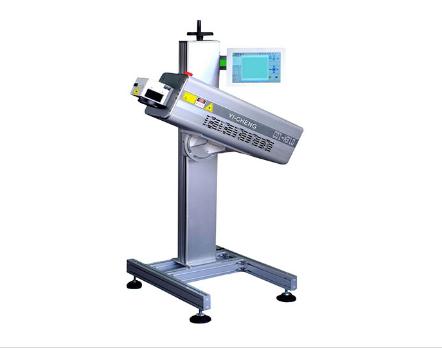
2, what is what you get, more intuitive and simple interface design, so that users can see the built-in information content of the machine, as well as the information name, information content, dot matrix size, line number arrangement and so on.
3. Information editing selection Printing information: When the screen displays the main interface status, press [F2] to select the printing details. At this time, the saved information name appears on the right side of the screen. Use the up and down direction keys to select To print the name of the message, press [ENTER] to confirm.
4, information editing modification printing information: If the current printing information is not what we need, then you can modify the current information content operation, there are two ways (one is to modify on the existing basis, the second is to create a new Information), the sneak is recommended to choose the second way. After entering the information editing page, you can switch the input method through the keyboard FN button, switch the dot matrix size through F1, and input the information. After completing, press SHIFT+F1 to save and exit.
5. At this time, the selected information content will be displayed at the bottom of the main interface. The selection or editing of the printing information has been completed. The following figure is an example. The content that we will print on the product is the combination of QR code and one line of English numbers.
6, the information parameter adjustment also has a shortcut key, you can press the F4 key on the left side of the keyboard twice to enter the parameter modification. Common parameters include character width, height, delay, flip, and bold multiple.
Article by: Foshan inkjet printerm.bjswzx.cn Yucheng Packaging Equipment Co., Ltd. provides the arrangement, this view does not represent the viewpoint of this site.