PrinterOperating procedures
Note; ESC is the exit button Enter is the confirmation button Shift transfer character up and down keys Fn is the English-Chinese conversion key Caps is an English capitalization key
1. Boot
Open the system there is a charging fault to open the above ink point value, charging failure, nozzle failure, charging failure and nozzle failure, standby mode open! Note; don't worry when selecting items that may press the wrong button. As long as you press the OK button while selecting the wrong item, just press the Escape button here.
2. Cleaning
Click on the system to have nozzle information, click enter to confirm, wait for 3-6 seconds to see the screen. F1 to the straight display nozzle cleaning, use the cleaning to align the upper end of the nozzle gently squeeze a few times, then press F1 to abandon the cleaning, open the password, enter the password, after completion, open the system, see a nozzle, system cleaning empty, press enter , click the Y button to confirm that the nozzle is sprayed out of the cleaning solution, and press F1 to give up for 10-15 seconds. Wait for 8-10 seconds to open the nozzle cleaning. After abandoning the cleaning, every time after starting the machine, be sure to clean it according to the above method before shutting down (Note: power-on shutdown means power)
3. Edit the print information.
(1) Editing the printing information and finding new printing information. Press the Enter key. When the name of the print information appears, you can enter the (1-9) number key so that you can select the print information. At this time, you have to see the screen and press F1 to adjust the word to type 16. If you want to input English, just press the keyboard below. When you want to input Chinese characters, you need to press FN. When inputting the printing information, enter them one by one. The name, specification, model, voltage, and finally the meter is the easiest to forget. Here again, after the voltage is input, press the F2 key, then press the direction key to see the meter. Select and press the confirm button. After the meter is added, add the meter unit M to the uppercase, and adjust the character size to the type 9. Just then, the information you need to print should be written. Hold down the SHIFT button and add the F1 button.
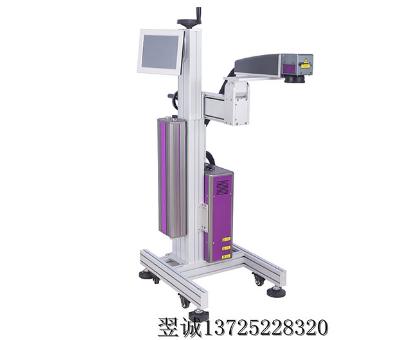
(2) Look back, when you write the information, you may need to print the information you have written, see the screen and press F2 to find the name of the information you have written. Press OK to confirm.
4. Turn on the printer
Turn on the printer. Press the F1 button when you have not selected any item. Start the printer. Clean the nozzle before starting. Gently squeeze the cleaning solution into the nozzle at the top of the nozzle. Too much, then turn on the printer, (10-20 seconds in the process of opening) to see the prompts on the screen, when the printing is 1-9, you need to print information is OK, You may not be able to print when you just print. At this time, you have a small blue tube behind the nozzle. After you take it off, touch it gently with your hand. (Note: No matter if you drive it high Step trigger or low order trigger, all need to touch,)
When opening the high-order, touch the small tube after a few touches. When you open the lower step, you need to remove the small tube. Otherwise, you can't print it. After a few touches, it will be printed. When the rice section appears in normal printing. When you are big and small, you only need to turn on the continuous printing to adjust the printing interval (mm), and the meter will be reduced when the meter is broken. When the printing is blurred, you can turn the system charging fault to open the ink point value, and adjust the size of the lower ink point value until the printing is clear, press the enter key. (Note: The system charging fault described here is not turned on or off under the charging point value. Under the reminder, the charging fault nozzle is always turned off, and only one standby mode is turned on.
Article by: Foshan inkjet printerm.bjswzx.cn Yucheng Packaging Equipment Co., Ltd. provides the arrangement, this view does not represent the viewpoint of this site.